
Linux got down to business. It has been observed that user dissatisfaction with Windows 11 and artificial intelligence could be a good opportunity to gain market share. The entire Kernel development community works very hard to improve and debug the kernel, in addition to adding new features to this operating system. Today, all users of this system are in luck, as Linus Torvalds has just released a new version of the kernel, full of new features: Linux kernel 6.18.
This new version is the result of several weeks of work and comes with a lot of improvements and new features after two much simpler versions focused primarily on stability rather than innovation. Whether you use your PC for work, gaming, or AI programming and research, this is the new kernel for you.
Linux Kernel 6.18: New Features
This new version of the Linux kernel comes with many changes and improvements of all kinds to offer the best performance and best stability on all types of devices. The first new features we highlight focus on improving compatibility and cross-functionality consolidated computers:
- New HWMON driver for GPD Win 4 and Win Max 2 that offers better fan and sensor control.
- Several fixes for the ASUS ROG Ally and Lenovo Legion Go 2, addressing several NVMe errors and several system hangs, among others.
- The DualSense controller audio jack now works correctly on Linux.
This new kernel also brings several improvements for processors and video cards To get the most out of them:
- Nouveau drivers use GSP firmware by default on NVIDIA Turing/Ampere graphics cards.
- Better power management on Intel Meteor Lake processors with dynamic efficiency control.
- New Rust driver for ARM Mali graphics (although still in very early stages).
- New driver for Rockchip NPU with multi-core support and dynamic scaling.
- A new bundling feature, a series of caches for each processor to allocate and free memory, resulting in faster multitasking.
of course security It remains one of the key pillars of Linux, and this version introduces several new features such as:
- A new system of signing BNF programs to check honesty.
- Improved auditing with support for multiple LSMs (SELinux, AppArmor).
- TPM bus encryption was disabled because it was faulty and slowing down the system.
Another point of improvement that we found focused on the support of the laptop hardware. Linux added initial support for tactile touchpads, better compatibility with Snapdragon
File systems such as exFAT, EXT4, FUSE, and finally UDP network protocol performance has also been improved up to 47%, Rust has added more bindings for kernel APIs and improved task scheduler, SWAP, KVM, TCP and containers.
How to update
Depending on the distribution we are using, the update process may vary. For example, if we have a Rolling Release system like Debian Testing or Arch Linux, the new kernel version will reach us right now through a normal system update. It is enough to update the packages so that this version also comes to us.
Otherwise, if we have a system with normal support, things get a little more complicated. A common thing in most distros like Ubuntu or Mint wait for the next versionwhich will arrive next April to have this version of the kernel. Moreover, since it is marked as Extended Support (LTS), all indications are that it will be standard in the next LTS versions of Ubuntu. If we don’t want to wait, we can use PPA repositories to download and install the new version on our system. We can do this by downloading the latest .deb version for our system and installing it with it.
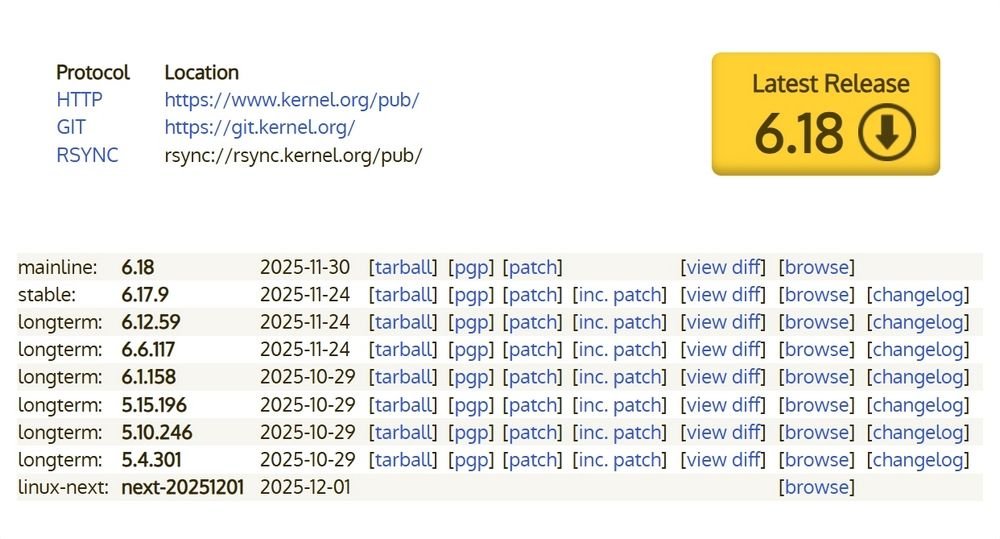
Finally, if we are already advanced users, we surely know that we have the source code of this new version of Linux 6.18 available on the Kernel site. Just enter it download it and compile it yourself. The process is advanced, but we can summarize it in 5 commands:
- Download kernel code: wget https://cdn.kernel.org/pub/linux/kernel/v6.x/linux-6.18.tar.xz
- Extract it and put them in your folder: tar -xvf linux-6.18.tar.xz && cd linux-6.18
- Configure kernel options: make menuconfig
- Compile: make -j$(nproc)
- Install it: sudo make modules_install install
After the reboot, all we have to do is select a new kernel and we’ll work on it.