Modern Android phones come with built-in tools that many users don’t know about, but they can replace external apps and make everyday tasks easier. This includes functions for scanning documents, extracting text from images, converting files to PDF and measure objects using the device’s camera.
These options are included in most of the latest Android smartphones thanks to apps and technology developed by Google, as well as tools based on augmented reality and artificial intelligence.
While much of the technical focus tends to be on advanced AI features, some of the most practical Android utilities are simple tools that save you time and avoid installing additional programs.
Extract text from photos with Google Lens
One of the most useful features built into Android is the ability to convert physical text into digital content using Google Lens. The tool allows you to take photos of documents, posters, letters, books or any surface with text and then automatically recognize the written words.
The process works directly from the Google Lens app, which is already installed on most modern Android phones. It can also be used with Google Photos or even the camera on some models.
After opening the image, the user only has to tap and hold on the text until the “Select Text” option appears.. The system automatically analyzes the photo and allows you to copy the content, share it, translate it or even listen to it read aloud.
This technology uses optical character recognition (OCR), an artificial intelligence-based tool that identifies letters and words in images.
Another little-known built-in Android feature the ability to generate PDF files without installing external applications. Users can convert photos, web pages or emails directly from the operating system settings.
In the case of images, simply open the photo, click the options menu, and select the Print feature. There is a “Save as PDF” option that allows you to create a file and save it to your device.
The same procedure works with web pages opened in Google Chrome. The user only needs to enter the browser menu, select “Share” and then “Print” to save the page as a PDF.
Gmail also has this option. When you open an email, Android allows you to create a PDF of the message from the built-in print menu. These tools are especially useful for students, workers, and people who need to quickly store digital documents without relying on additional services.
Another lesser-known Android feature is the ability to measure objects and distances using your phone’s camera..
This is possible thanks to augmented reality technologies compatible with ARCore Depth, an API developed by Google that allows the device to interpret depth and dimensions in the physical environment.
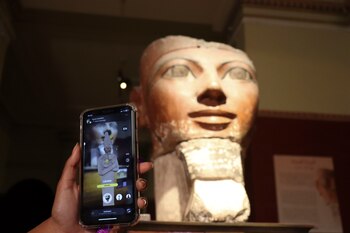
Compatible phones can be used Augmented reality-based measurement software to calculate approximate dimensions of furniture, rooms, boxes, and other everyday objects. The operation is based on a combination of sensors, camera and artificial intelligence to detect surfaces and estimate distance in real time.
Although the accuracy will not fully replace professional measuring devices, it is sufficient for quick calculations and household tasks.
Android bets on integrated functions
The integration of these types of tools is part of a larger strategy in the Android ecosystem: to reduce dependence on external applications and turn the phone into a multi-functional platform.
In recent years, Google has built additional features directly into Android with artificial intelligence, visual recognition and task automation.
Many of these options remain hidden from a large portion of users because they do not appear as independent programs, but are integrated into the operating system or services such as Google Lens, Google Photos, and Chrome.