

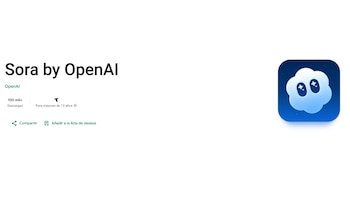
OpenAI launched its video app with artificial intelligenceSora, on Androidallowing more users to create and share AI-generated videos through the app’s social feed.
The company introduced Sora on iOS in September, where the app surpassed 1 million downloads in the first five days of its launch. The Android version is now available on the Google Play Store in the US, Canada, Japan, Korea, Taiwan, Thailand and Vietnam, according to The Verge.
Among the features highlighted, Sora offers the ability to create content featuring the user himself or his friends using the “cameo” feature, as well as the ability to create “character cameos” with reusable avatars.
In addition, OpenAI plans to allow rights holders to charge additional fees for cameos by famous characters and people.
In recent weeks, the app has come under fire for its handling of deepfakes and copyright protections, prompting the company to change its exclusion policy for rights holders.
To download Sora on Android, follow these steps:
- Open Play Store.
- Search Sora by OpenAI.
- Click Install.
Sora is a platform developed by OpenAI that allows users to create videos from text descriptions. Its technology uses artificial intelligence to create realistic or animated videos according to the user’s detailed instructions.

Among the main features offered by Sora are the following:
- Create realistic or creative videos: Sora can create scenes that look like they were recorded by real cameras, or art-style animations and images, depending on the description provided.
- Visualize abstract concepts: Allows you to transform complex or imaginary ideas into visual sequences, making it easier to explain or present projects.
- Try different environments and styles: Users can define details such as lighting, camera movement, environment and even the atmosphere of the video.
- Content for different sectors: It can be used in education, advertising, entertainment and design as it facilitates the production of personalized videos without the use of cameras or actors.
- Speed up production of prototypes and storyboards: Allows you to quickly preview scripts, scenes or proposals before investing in expensive recordings.

OpenAI, the company behind ChatGPT, has launched Atlas, an AI-powered web browser, globally. This tool is now available for Mac users in Free, Plus, Pro and Go versions.
Atlas lets you search and ask ChatGPT questions directly, without having to open the app separately.
ChatGPT’s memory integration allows you to use previous conversations and details to solve new tasks, allowing the browser to store the context of visited sites and access this information when needed.
For example, you might ask, “Find all the job postings I looked at last week and create a summary of industry trends to prepare for the interview.”

The memories feature in the Atlas browser is optional and remains under the full control of the user: they can be viewed or archived from the settings and are deleted when the browsing history is cleared.
Web site administrators can include ARIA tags to improve the interaction of the ChatGPT agent with their Atlas pages.
OpenAI noted, “We will continue to improve Atlas, and our roadmap includes support for multiple profiles, improved developer tools, and ways SDK app developers can increase the visibility of their apps in Atlas.”
Atlas also added a ChatGPT agent mode that now offers greater speed and utility by taking advantage of the user’s browsing context. In this way, the platform accelerates research, automates tasks and makes it easier to organize events or manage bookings while browsing.
For example, you can organize a dinner: just submit the recipe for ChatGPT to find the supermarket, add the ingredients to the basket and manage home delivery.