
One of the changes we saw in the smartphones Recent years have seen greater control over file systems. Android and iOS, which used to hide most of the local storage structure, now make it easier to access so you can manage your files just like you would on Windows or macOS.
This reflects some gradual changes, such as increased storage space, increasingly complex applications, and increasingly sophisticated operating systems. Links with cloud storage platforms are also now more common than ever, increasing the need for on-premise file management tools.
While there are several file managers you can use, especially on Android, we’re going to focus on the tools built into Android and iOS and what you can do with them. In addition to giving you a better idea of what files you have and where they are, these apps also help you free up space on your devices.
Android files
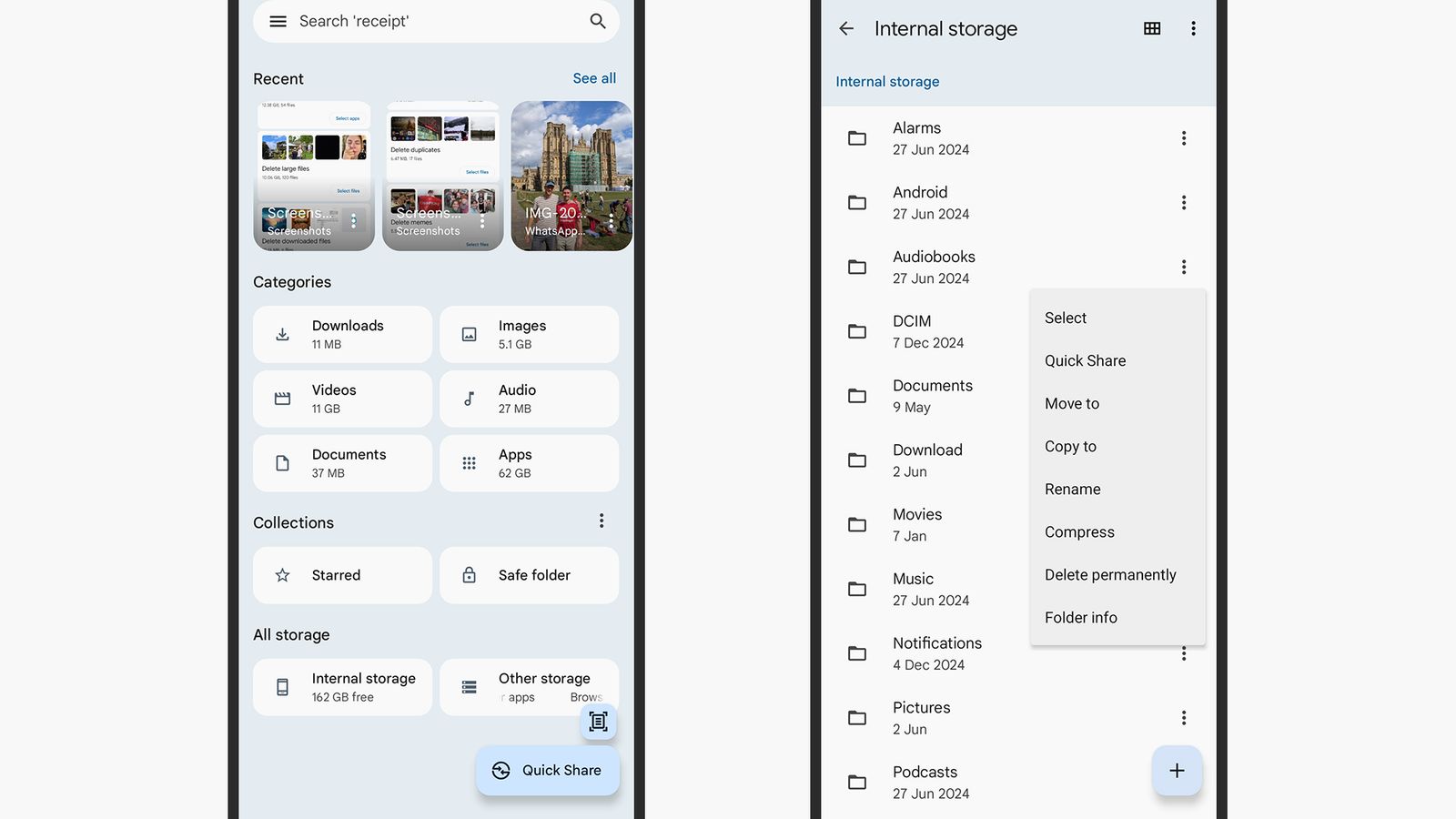
If you have Android, you’ll find the Google Files app pre-installed. Open it up and the first thing you’ll see is your recently saved files, followed by different categories of files that you can browse e.g. Downloads, Pictures, Video in Documents. You can also search for files using the box above.
At the bottom of the screen, you can access all the file folders with a button Internal memory and any cloud storage accounts you’ve connected to your Android via the button Other storage. You can also access your Secure folderthis is a special folder that can be protected with a PIN code and used to store particularly sensitive files.
Once inside a specific folder or file category, you can click any file to open it; For formats that can’t be opened in the Files app itself, you’ll be prompted to choose another app on your phone to manage them. Touch the grid or list icon in the top right to change the folder view, and the three dots (also in the top right), then sort by to change how files are displayed. New folders can be added from the same menu.