Can You Run It is a web page that tells you if your computer can run a video game without interruptions or problems.
If you want to play a video game on your computer but don’t know if it will work properly, we’ll show you how to find out if your computer can run the game. That way, you won’t have to risk buying or downloading it without confirming if it will work without interruptions or if it can be performed. This allows you to check whether these releases, such as Starfield, which became Steam’s best-selling game even before its release, can be played on your computer.
- Check if your computer can run the game with Can You Run It
- Other pages to see if the game works on my PC
Check if your computer can run the game with Can You Run It
The way to find out is simple, fast and free. We will use a website called “Can You Run it” which informs us if our computer is capable of running the video game properly.. The process is very simple, but we will explain it to you step by step.
How to use Can You Run it
Below this point, we leave a link to Can You Run It. After logging in, Enter the name of the game in the bar located in the upper left corner of the screen, where it says “Search for a game”.. You don’t have to enter the full name, you can write it when it appears as a sentence.
You can run it
After you write it, or choose from the suggestions, Click the blue button that says “Can You Run it?”. A small process will begin, consisting of several steps, in which you must complete the third stage download a file that tracks the health of your computer. You will only need to install it once, the next time you check if the game is able to run properly on your PC, you won’t need to reinstall it. It only lasts a few seconds and obviously it’s safe.
Finally, you will receive a final report. It’s intuitive and also tells you what your computer is missing to run the video game properly, if that’s the case. It is divided into 2 parts, on the one hand, minimum requirements, and on the other – recommended. If you meet the guidelines, you also meet the minimum. This is the most recommended, although you can play the game only by completing the minimums. If it doesn’t even reach the minimums, the game won’t run on PC.
For example, With the Elden Ring I meet the minimum requirements but not the recommended as my video RAM is less than recommended. In this case, you can play it, although it may not perform as well as if it met all the recommended aspects.
Changing the RAM or graphics card is difficult and you will need to tinker with your computer or have someone do it for you. however, changing the space is not that difficultbecause if you’re short on space on your computer, you can use one of these mobile-compatible cloud services and host your photos or videos there to save space.
List of games compatible with your computer
Another way to find out if a computer can run a video game see a list of titles compatible with my PC. To do this, go back to the top of the main page, go to the “How many games can my computer run” section and click on the blue button that says “How many games can I run?” After that, a list will appear with all the video games included on the page, which are many, and next to them if you meet the minimum and recommended requirements for them.
Other pages to see if the game works on my PC
Can You RUN is not the only website that informs you about this, there are other pages to find out if the game is running on your PC. Between them We’ll highlight Can I Run It, yes, it has almost the same name, and the game’s system requirements.
Can I run it
This website works differently than the one we have shown you before. Login using the link below and select the tab Can I run the game? Select the name of the video game and you will be redirected to another screen from which choose a processor, video card and RAM. You will then be shown below whether you meet the minimum and recommended requirements.
Can I run it
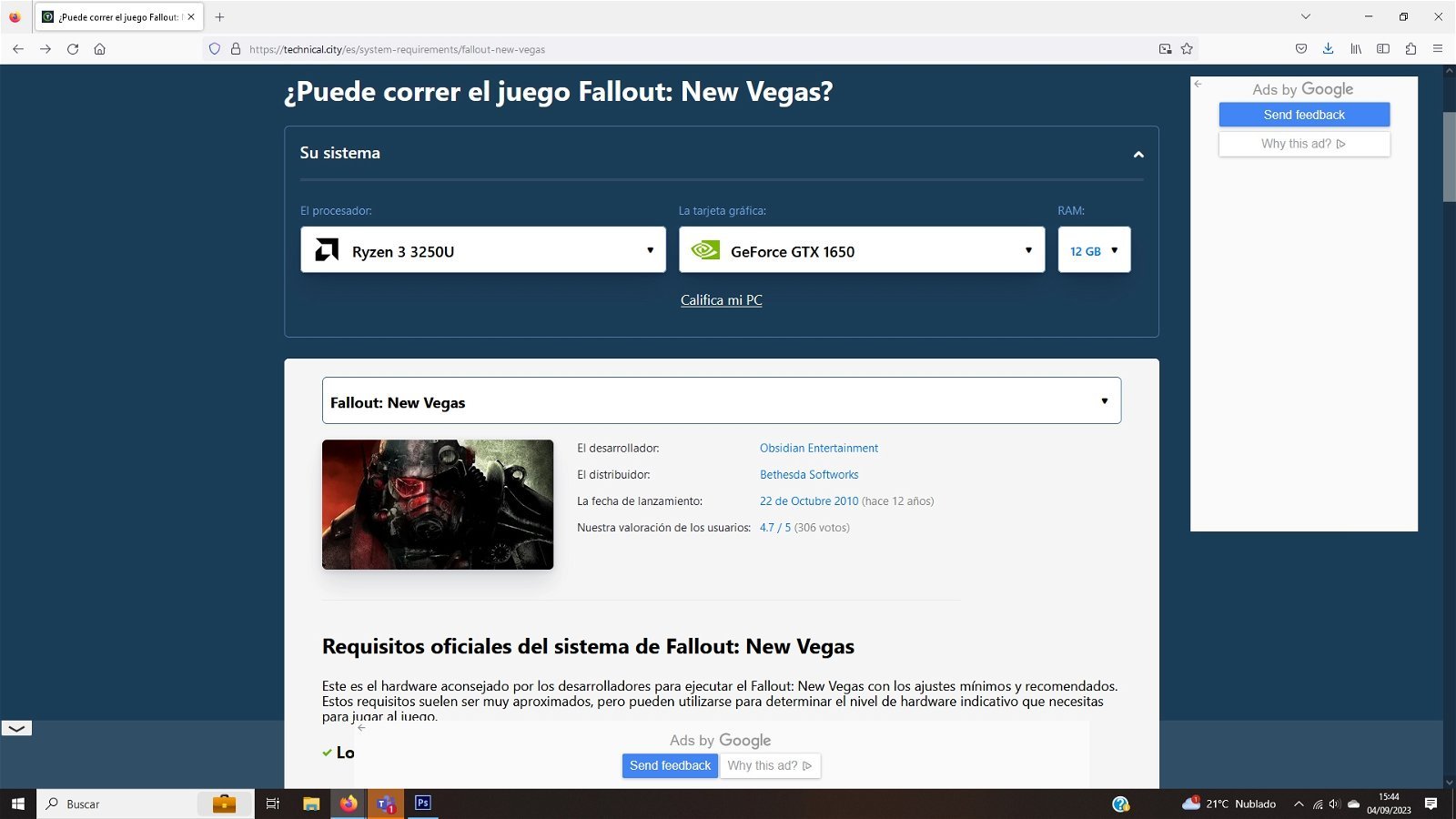
See if you can run a video game with Can I Run It?
System requirements of the game
To find out if your computer can run the video game correctly, follow the link below which will take you to the top of the website. From there, select one of these titles or select one by clicking the magnifying glass in the upper right corner.
Be that as it may, if you are in the video game section, the minimum requirements will appear. If you go down you will come to one called Can You Run It?, from which enter the specifications of your computer, such as its processor, RAM or operating system (OS), although it’s better to select the PC model directly. Then click Compare to see if you can run it.
System requirements of the game
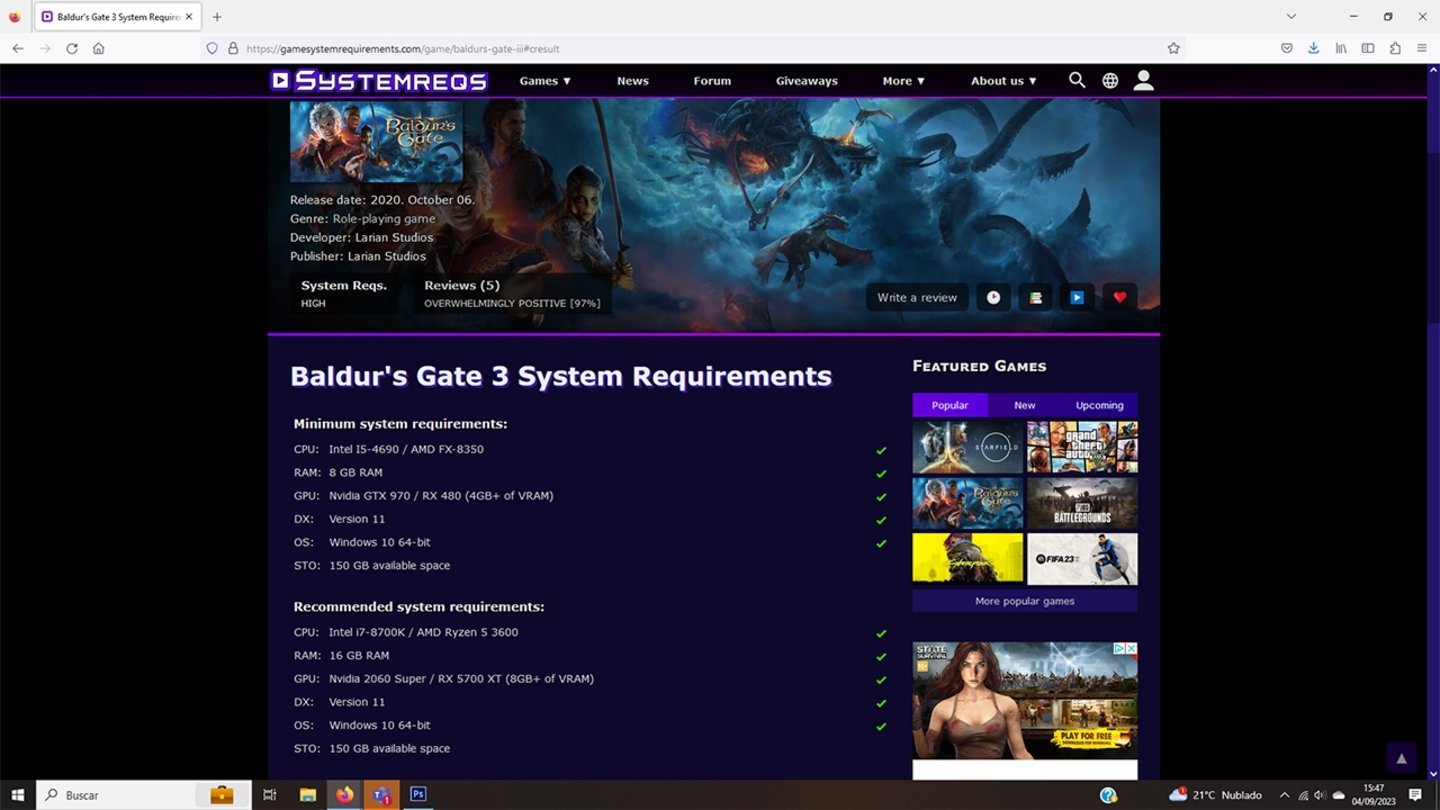
You can also use the system requirements of the game