
If you’re using Windows 11, and in particular you have a Microsoft Copilot+ PC with the necessary AI processing power, you can use Windows Recall. It works like a memory for your computer, using screenshots to keep track of everything you do in Windows, and then allowing you to search it.
The idea is to offer you something similar to your browsing history, but for your entire computer. If you remember a program, document, web page, or file that you’ll need to access hours or days later, Windows Recall can help. Thanks to the artificial intelligence of Microsoft Copilot, it is not only able to take screenshots, but also understand what they contain.
Windows Recall isn’t the first tool to do this, but it has received criticism from many users who would rather not have their computer’s every move recorded. Security researchers have also shown that it can be easily hacked.
How serious are these security and privacy concerns? And if you have Windows Recall on your computer, should you activate it? This is what you need to know.
How Windows Recall works
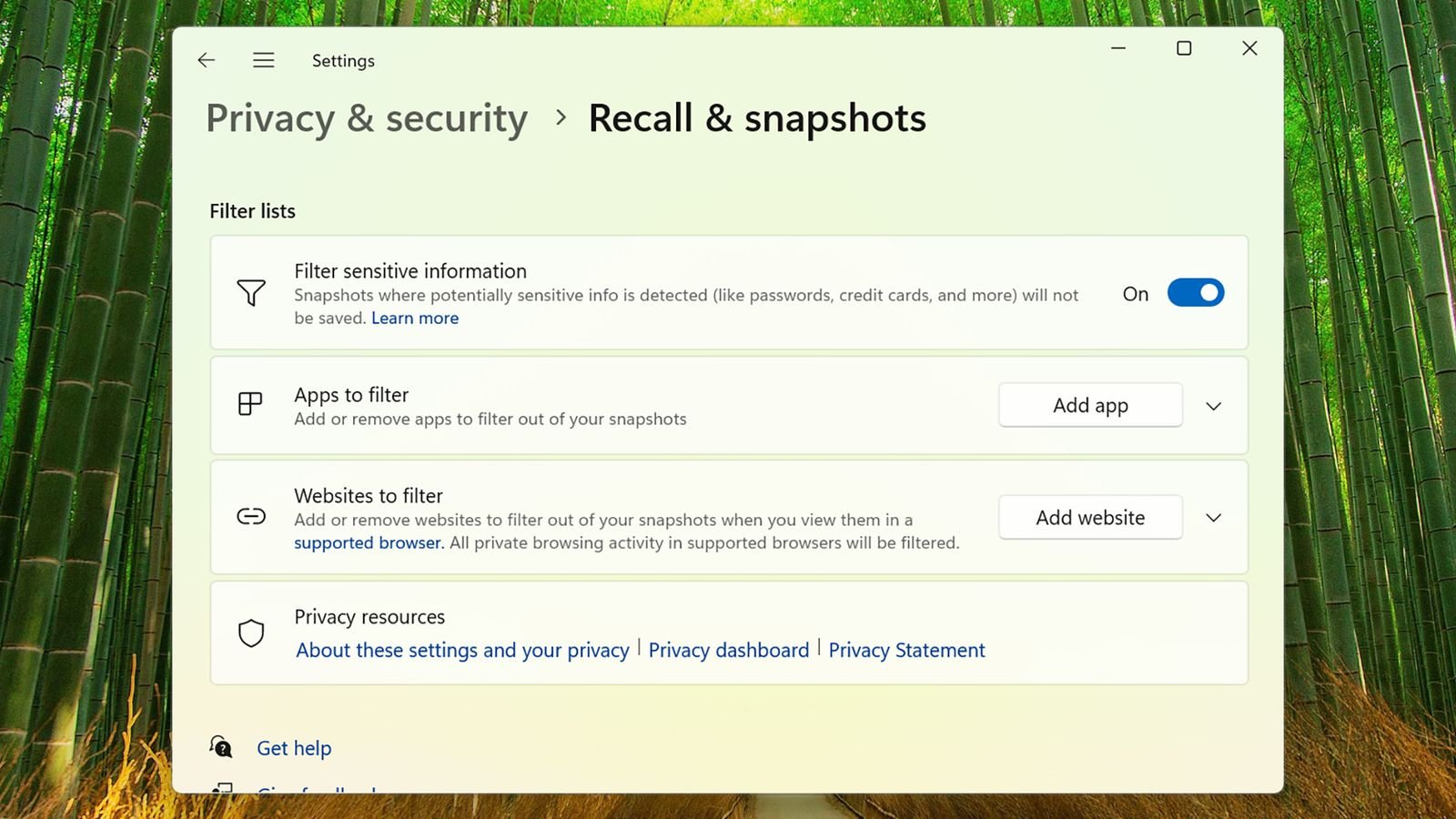
You can filter out specific apps and websites from Recall.Courtesy of David Nield
It’s fair to say that the initial reaction to the Windows Recall was not very positive. The problem with your PC’s memory is that it can be accessed by other people, including Microsoft employees, which means they can see your browsing history, sensitive documents, private messages, and possibly anything you’ve been looking at on your computer screen. The backlash was so strong that Microsoft stopped Recall for a while.
Now it’s back, with changes. First of all, Recall will be disabled by default. It won’t suddenly start tracking you without your knowledge. You have to activate it consciously if you want to use it. Second, all screenshots and other information that Recall captures is stored locally on your PC. Nothing Windows Recall does is sent to Microsoft’s servers or anywhere else on the Internet. In addition, the files are encrypted, which makes it very difficult for attackers to access them.
Third, Windows Hello authentication is required to access Windows Recall. If someone manages to gain access to your PC, they won’t be able to open Recall without going through the process of scanning your face or fingerprint or entering your PIN, so the level of protection is similar to that of your phone. Fourth, you have the option not to save screenshots if there is sensitive information on the screen (such as passwords or credit card numbers). You can also delete screenshots at any time.


