
Author: Drawing | 04-10-25
In the Torre Media game chassis, there are hardened glass side panels, allowing graphic cards up to 450 mm long, radiators up to 420 mm long and aluminum front.
Highlights:
- Premium Design: Strix Helios II is designed for exhibition assembly, with an aluminum front panel with a diamond network and a 3D filter
- Optimal thermal performance: Four high -performance fans with 140 x 28 mm pre -installed, provide optimal air flow
- On your own: Compatible with basic plates and graphic
- A neat PC building: Easy cable control thanks to multifunctional cover graphic
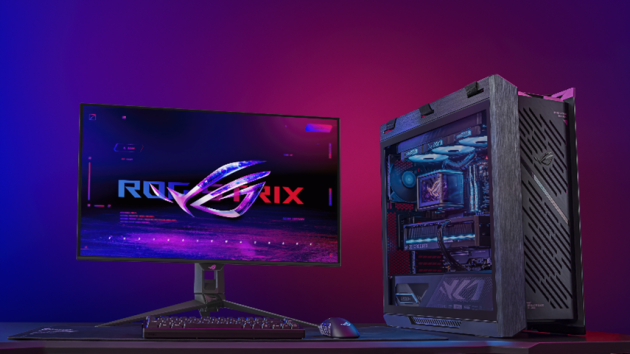
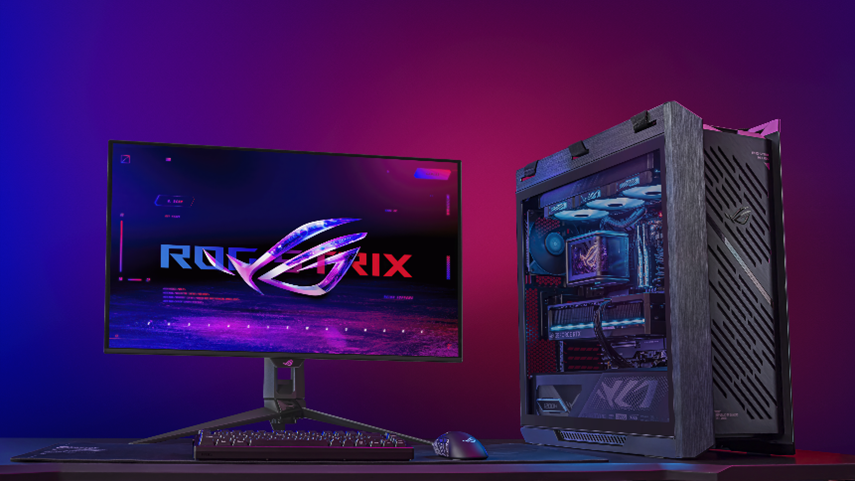
Asus Republic of Gamers (ROG) has announced the launch of the ROG Strix Helios II, the Torre Media PC chassis with bright quality finishes and efficient cooling, with a design that offers a lot of space for the assembly process. The chassis has external aluminum elements, optimized internal distribution and incredible thermal efficiency to ensure its preparation for large games.
Helios II is full of connection and easy to set up features. Users have enough front ports to connect all their peripheral devices and can even charge their mobile USB-C® rapid load devices with 60 W front panel. The collection is very simple due to the spacious design of Helios II, a large number of installation features without tools and optimization in the cable management. If these advantages are added to the aesthetics and the ability to cool this dwelling, users will find that ROG Strix Helios II is unique in their class.
An attractive appearance
Available in black or white, Rog Strix Helios II carefully combines bold aesthetics for games with innovative design details. Its aluminum front panel with a diamond network stands out for its distinctive Lamas design and a bright monochrome color scheme. Users with a completely white battle station should look at the Asus GeForce RTX 50 Blank Chavics to maintain the coordination of the equipment color from the inside and outside.
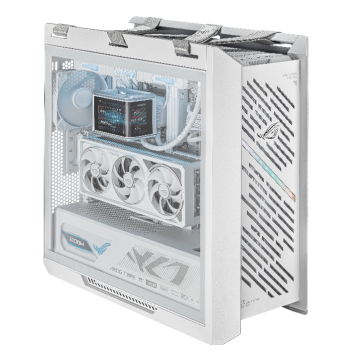
The Helios II front panel stands out with its ditches with diamonds, which allows you to introduce a wide cooling flow of air. This design draws attention to the aluminum elements of the housing and elegant details, such as 3D ROG on the front. These high quality details create obsessive and performance focused on an aspect that fits perfectly into any demand PC configuration. In addition, the side hardened glass panels allow us to see the internal components and any RGB, with which the user wants to lighten the room, allowing him to customize his work experience with Rog Strix Helios II.
The front panel design helps the PC breathe. And thanks to a 3D structure filter, which reduces the noise located behind the panel, users can enjoy the coolant of the frontal fans without hearing excessive noise.
This housing is pre -installed with four 140 fans, each with additional thick frames of 28 mm. Compared to standard market models, these fans cause a similar amount of air with a much lower noise and can accelerate to get maximum air power. Three fans take the front and one is in the back of the chassis to expel the hot air.
The chassis offers support for two 360 radiators through mounting points on the front and upper panels. This makes it ideal for ultra -liner liquid cooling configurations, such as high equipment with a video card Astral LC GeForce RTX ™ 5090 and refrigerator ROG Ryuo IV 360 Argbb AIO processor.
Ready for demanding players and self -fans
This chassis is a dream of any PC picker for games. With a card up up to 450 mm long, you can place Nvidia® GeForce ™ series 50 largest in the market, both vertical and horizontal. You can also easily place an individual fluid cooling configuration and EATX, so a large motherboard, such as Crosshair X870E Extreme Adax.
The large chassis size facilitates DIY modification. With so much space, users do not need to worry about scratching joints with very dense pieces. In addition, it has characteristics that accelerate the assembly. The design of the side panel with the help of a single key allows users to remove both sides of the body without the need for tools. And the removable posterior supply of the power ensures that the sliding of the food units and the outside is equally simple.
Those who prefer ordered equipment will evaluate 33 mm place for cables. Inside, the only front panel connector facilitates the cable connection, while the cable cover hides the anti -steep cable. Outside the back cable clips provide an easy way to control peripheral cables when users connected mice, keyboards and cable headphones.
For greater cable consolidation, ARGB controller and CAN supporters offers users a comprehensive control over the maximum of six Argb components and six Shim fans. This optimizes lighting and cooling to facilitate the maximum setup.
Functions that improve quality of life to fully enjoy video games
Helios II has a wide selection of input/output options, allowing users to easily access the necessary ports. These include four USB 3.0 Type A and two USB -20 GBPS Type C® Ports with 60 W. Users can connect these ports to the compatible motherboard to convert the PC to a convenient fast charging station. There are also headphones and microphone, as well as highlighted, reboot and LED buttons.
Housing shoulder straps help to differentiate Rog Strix Helios II from other lifestyles. They are woven at the top of the chassis and intended to facilitate the clutch due to their double X -shaped structure. This facilitates the transportation of the chassis after the assembly, and also facilitates the involvement of the game team into a local party. Or, if the user reorganizes his play space and must move his team through a room or other place in the house, the belts facilitate any movement.
Final case for games
Rog Strix Helios II is the final housing for players looking for a lot of features and style. Among its exclusive design with diamonds, various optimization, transportation and sufficient space for almost any component, is a clear option for those who really want to improve their PC game station.
Having and prices
ASUS ROG STIX HELIOS II can change its availability in each region. For more information, contact the local ASUS representative.


