Author: Editorial | 06-12-25

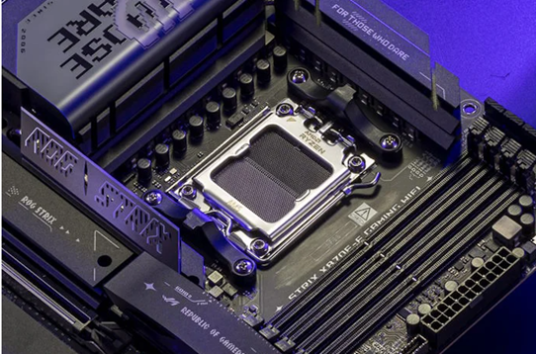
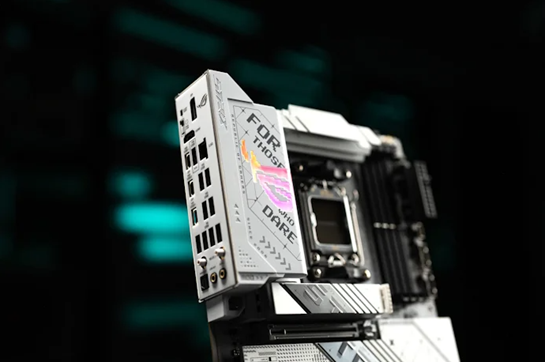
With the gaming options covering the X870E, here are the top six reasons why we think it’s the best option for most gamers in 2025.
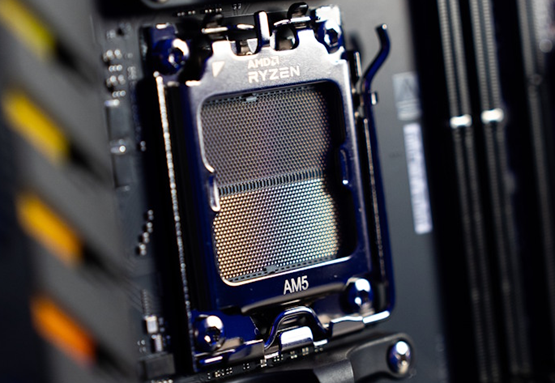
The most popular AMD processors on the market require AM5 motherboards
You can see the list of AMD processors in today’s gamer wishlists and you will see many AMD Ryzen 9000 series processors like AMD Ryzen 7 9800X3D and AMD Ryzen 9 9950X3D. Equipped with AMD’s revolutionary 3D Cache gaming technology, they deliver impressive gaming performance. But even if you’re not looking for one of the most powerful AMD CPUs available today—and you, as a gamer, may not need the fastest CPU—the chances are that an AM5 processor will be a great choice for your new system. The AMD Ryzen 5 9600X is a favorite among casual gamers for many reasons.
AM5 motherboards are the best option for next generation graphics cards and SSDs
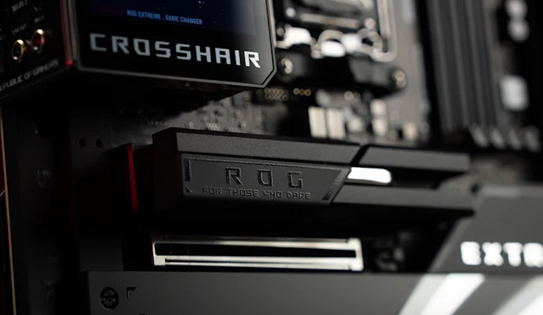
This year was packed with graphics card announcements as the latest variants from NVIDIA and AMD debuted. Being PCIe 5.0 cards, these components should ideally be compatible with motherboards that have PCIe 5.0 x16 slots. AM5 boards allow this. AM4 does not.
Since the PCIe standard is backwards compatible, you can install these new cards into older PCIe 4.0 expansion slots, usually without too much performance loss. But to build a new PC from scratch, a motherboard with PCIe 5.0 expansion slots is the best long-term choice.
You will almost certainly get more M.2 slots
A distinctive feature of AM5 motherboards is their support for M.2. Instead of two or three slots, as was common in the AM4 era, we can offer three to five, at least one of which will be a high-performance M.2 PCIe 5.0 slot. The increased number of slots allows you to reuse the drive(s) from your old PC while expanding your library with the new M.2 SSD. Considering how much installed games have grown in recent years, this is the main reason to choose a next-gen motherboard.
Our updated UEFI BIOS is more versatile and easier to use than ever
When it’s time to optimize your new PC, you’ll appreciate the significant changes we’ve made to the UEFI BIOS interface. We’ve increased the resolution to 1920×1080, which allows you to see more content at once, so you can browse the available settings and find what you need. Perhaps even more valuable to those building a new PC, we’re introducing our new Q-Dashboard BIOS interface to help bridge the gap between your BIOS settings and the physical layout of your new motherboard.
You’ll get access to the latest performance optimization features
ASUS-based gaming PC with AMD processor offers easy options to optimize system performance in one click. Depending on the model you choose, you can get the most out of your AMD processor with AI Overclocking, Dynamic OC Switcher and Core Flex. Running out of available video memory when working with large language models? AI Cache Boost optimizes CPU cache and memory lines to deliver up to 29% more local performance in LLM with high-speed memory tuning. AI Cooling II is ready to optimize your cooling, while AI Networking II optimizes network settings to ensure smooth online gaming, uninterrupted creativity and easy content sharing.
VRMs on ASUS AM5 motherboards become even more reliable
We’ve hardened our VRMs for long-term stability and reliability. Modern processors can draw a lot of current, and that’s without overclocking. Therefore, we increase the number of power stages on high-end motherboards to reduce the load that each one carries. If you’re considering a Ryzen 7 or Ryzen 9 processor, you’ll get more stability and longevity from a motherboard with a more robust power solution.