
The latest version of One UI improves performance, privacy and productivity across the entire Galaxy ecosystem.
Samsung Electronics Co., Ltd. today announced the One UI 8.5 beta program, introducing new ways to more easily create, connect and stay secure. One UI 8.5 allows users to do more with less, thanks to updates that provide smoother actions, device management and improved security.
One UI 8.5: What’s new for content creation?
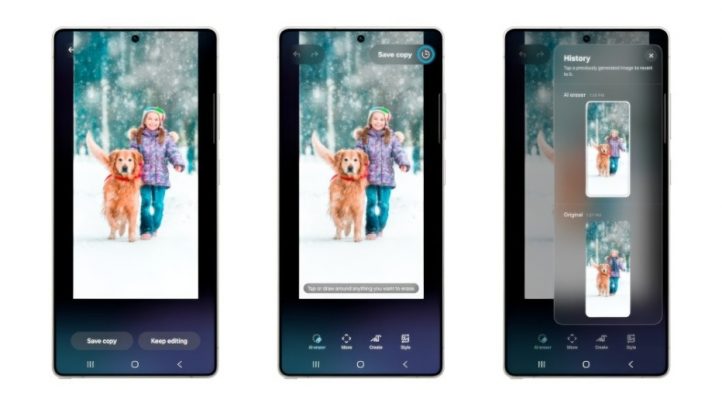
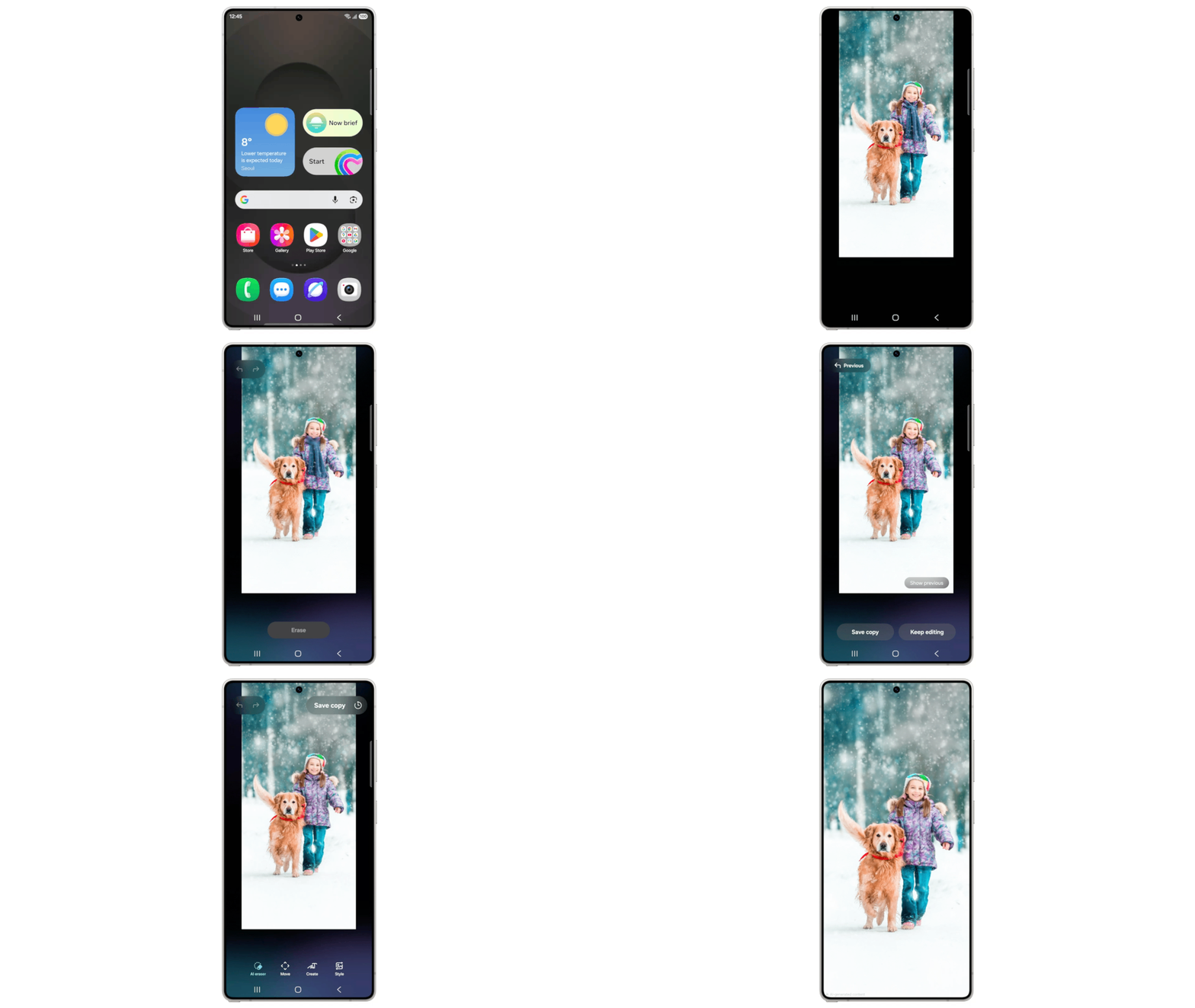
One UI 8.5 makes creating and sharing content more intuitive from start to finish. Users can easily continue creating new images thanks to the update Photo assistant(1). Now you can continuously edit your photos with Galaxy AI features, without having to save each edit. When they’re done, they can easily view all versions in their edit history and choose their favorites to save.
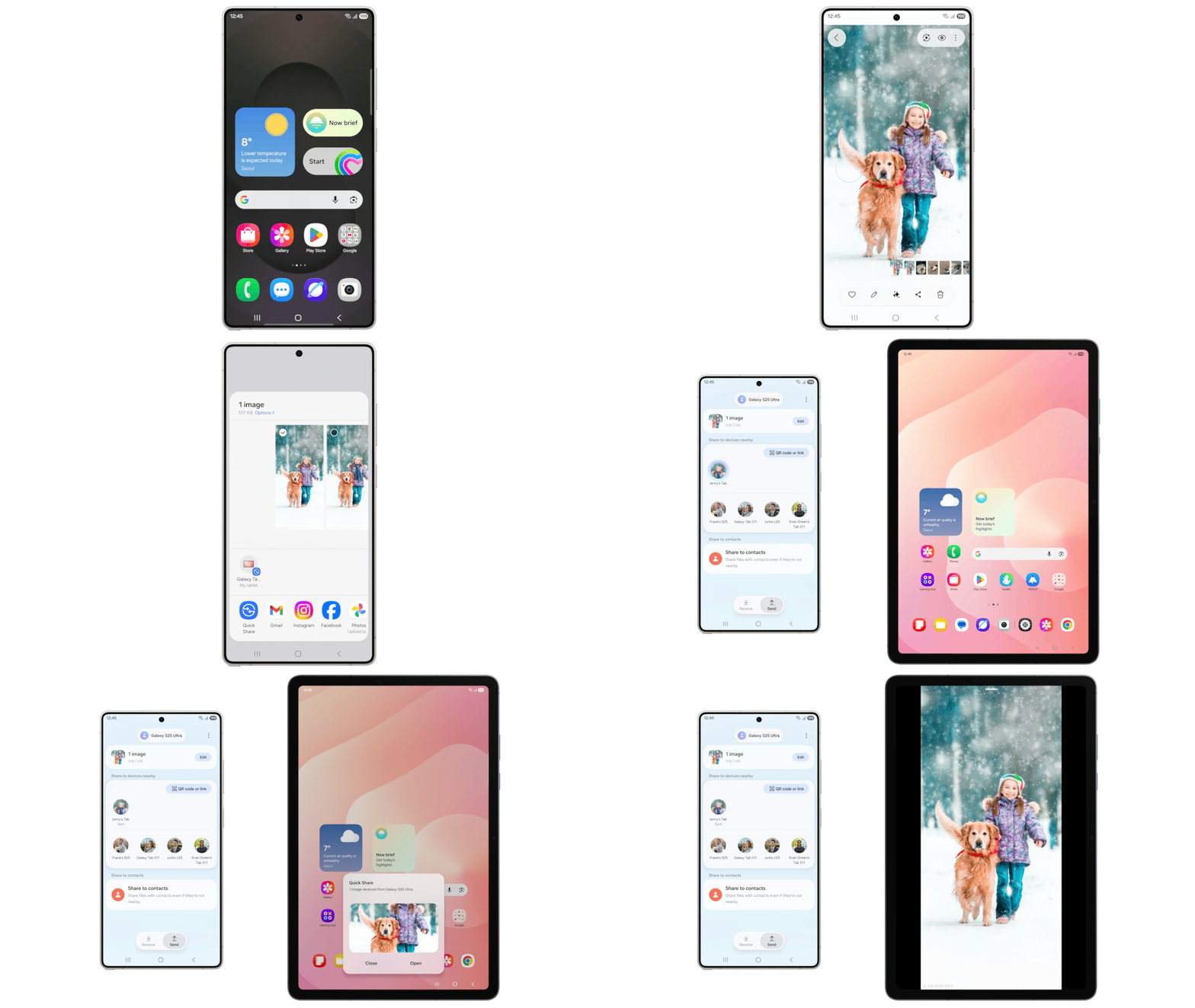
Sharing content has become easier thanks to improvements in the Quick exchange(2)which now recognizes people in photos and offers the option to send them directly to those contacts in advance.
How does One UI 8.5 improve device connectivity?
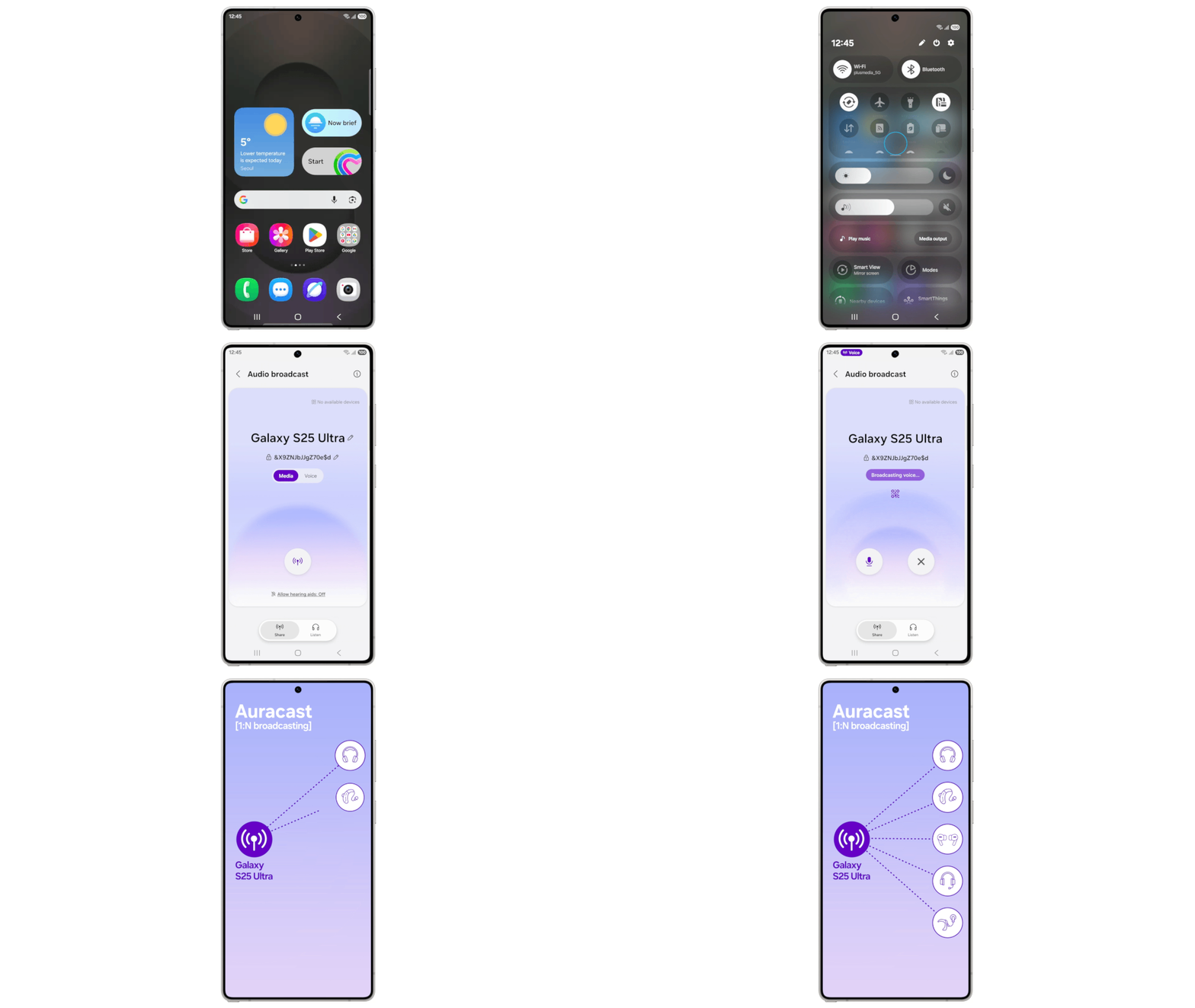
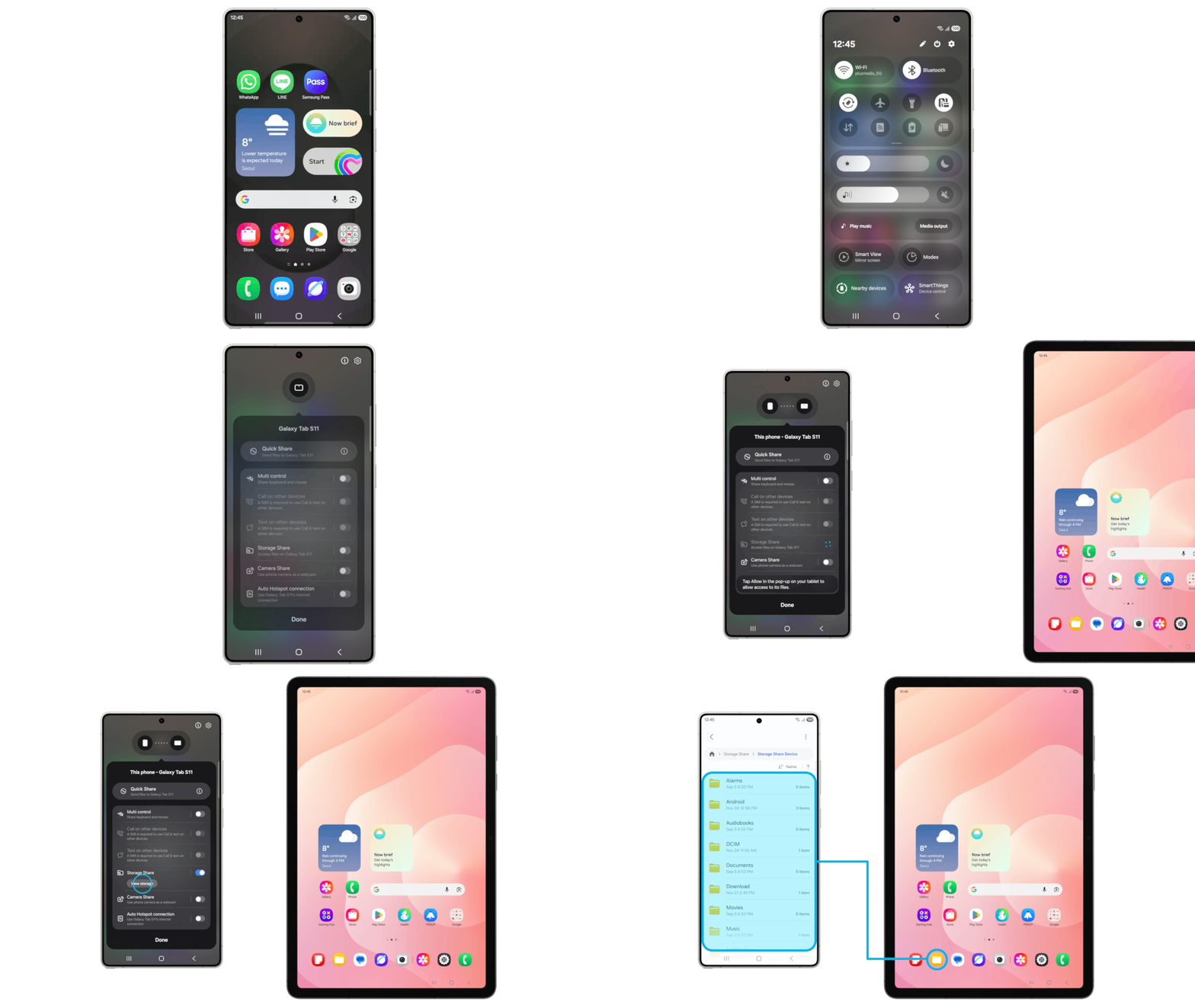
New multi-device features make managing endpoints easier, whether users need to manage files, share their network, or communicate with nearby devices. Streaming audio(3) Allows you to easily communicate with nearby LE Audio compatible devices using Auracast. In addition to audio from media sources, users can now broadcast their voice using the Galaxy phone’s built-in microphone, ideal for group gatherings such as tours or events.
Share storage(4) brings even more fluidity to the Galaxy ecosystem by displaying files from other devices, including tablets and PCs, directly in the My Files app. It also allows users to access their phones’ files from other Samsung devices, including TVs.
How is my Galaxy device protected?
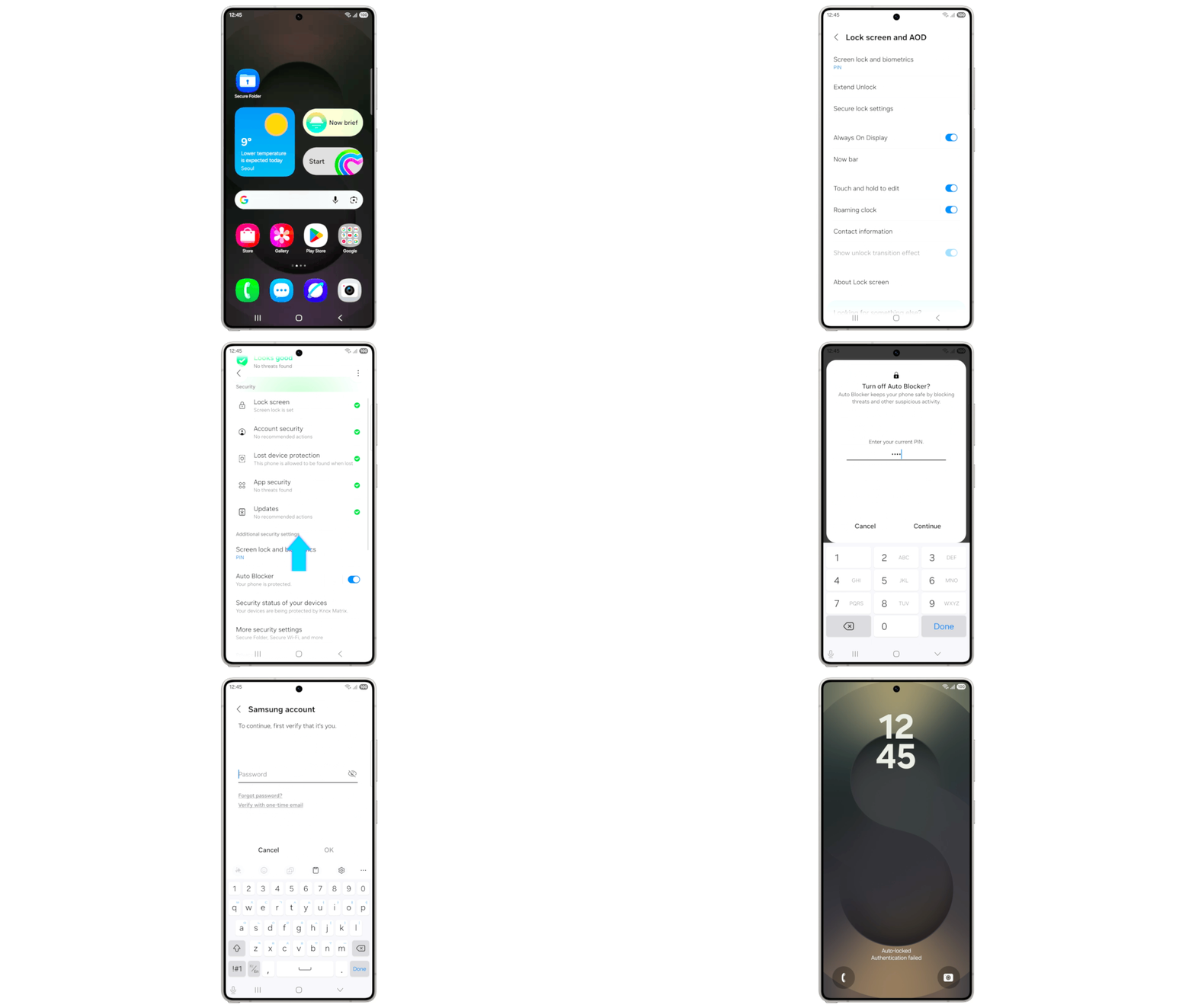
One UI 8.5 strengthens device protection and gives users more transparent control over security settings. Protection against theft keeps phones and their data safe in case of loss or theft. For added protection, Failed Authentication Lock automatically locks the screen if there are too many failed attempts to verify your identity with your fingerprint, PIN, or password. Identity verification also protects more settings than before, adding an extra layer of security.
Availability
The One UI 8.5 beta program will be available first for Galaxy S25 series users in select markets, including Germany, India, Korea, Poland, the United Kingdom, and the United States, starting on December 8. Galaxy users can apply for the beta program through the Samsung Members app.
(1) Photo Assistant’s generative editing feature requires a network connection and Samsung account login. Editing with generative editing can cause the photo to be resized. A visible watermark is superimposed on the resulting image after saving to indicate that the image was generated by artificial intelligence. Screen simulation for illustration. Actual experience/user interface may vary.
(2) Available on devices with One UI 2.1 or higher running Android Q or higher. Quick Share requires Bluetooth Low Energy and Wi-Fi connectivity. Actual speed may vary depending on device, network conditions and user environment. Screen simulation for illustration. Actual user experience and user interface may vary.
(3) Available only on Galaxy S25 series devices including Galaxy S25, S25+ and S25 Ultra. Screen simulation for illustration. Actual user experience and user interface may vary.
(4) All devices must be connected to the same Samsung account and have Wi-Fi and Bluetooth enabled. Requires updated Galaxy phones and tablets with One UI 7 or higher and kernel version 5.15 or higher, and Galaxy Book2 or later (Intel) and Galaxy Book4 or later (Arm), and Samsung Smart TV models, including U8000 and higher, released after 2025. Feature availability may vary by region and device model. Screen simulation for illustration. Actual user experience and user interface may vary.


