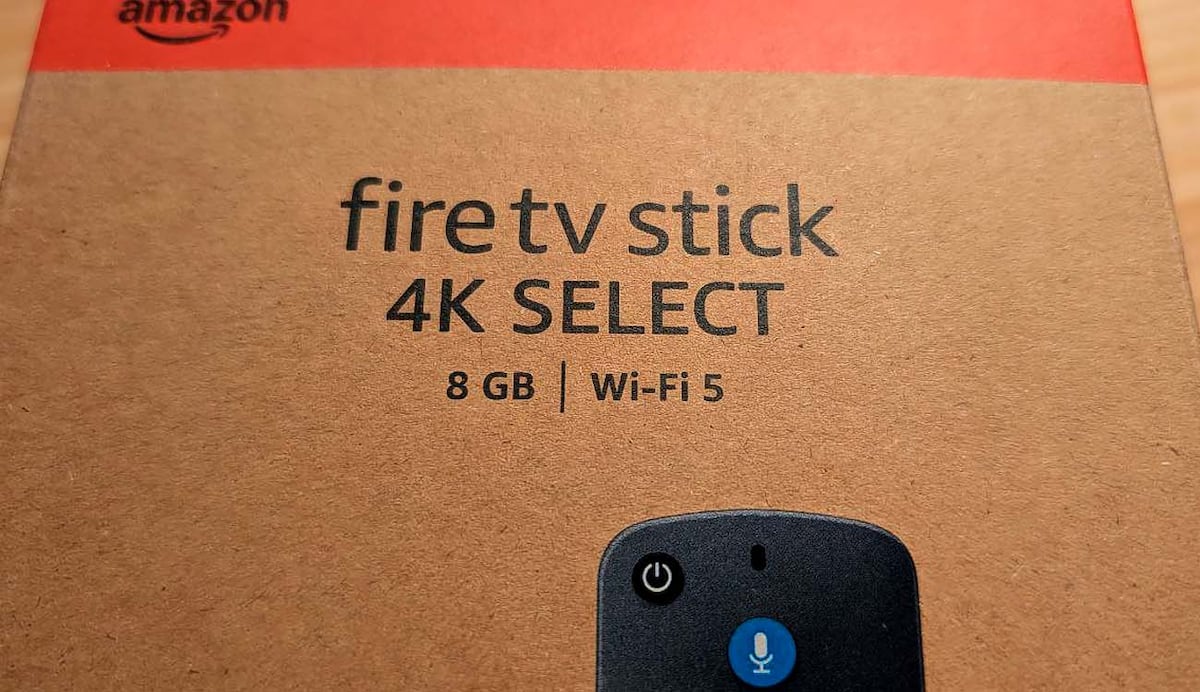
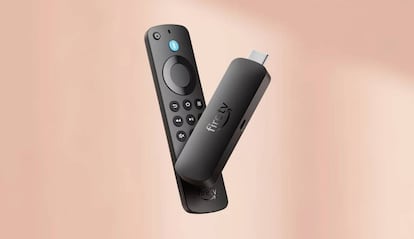
Not everyone needs to change their TV to enjoy a smoother, more modern streaming experience. If you television It is several years old and the voice recognition is starting to fail or its interface is outdated, Fire TV Stick 4K Select This is probably the easiest and cheapest way to update it. this remake Amazon’s popular HDMI stick comes with a different operating system (Vega OS), a redesigned interface, and compatibility with features previously only found in the most expensive models.
It should be noted that the model in question, right now, can be purchased for 54.99 eurosa reasonable price that makes it one of the most affordable 4K players on the market and a great option for Christmas.
New operating system: Goodbye Fire OS, hello Vega OS
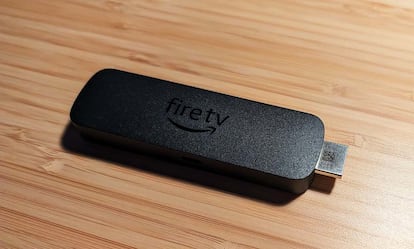
The main novelty of the Fire TV Stick 4K Select compared to the previous generation with Fire OS lies at the heart of the device: its operating system. Amazon has left the classic Fire OS (based on Android) aside, which you can bet on Vega OSown development Based on Linux. This change is not immediately visible in the interface, but it affects performance, security and future updates.
Vega OS offers more efficient resource management, as we have seen, which is important in a device that has 8 GB of internal memory. Although the ability to install apps from outside the official Amazon store is lost (what is known as side loading), the experience becomes more stable and consistent. In practice, this means fewer errors, a lighter interface and faster startup – especially useful if you use with a stick daily.
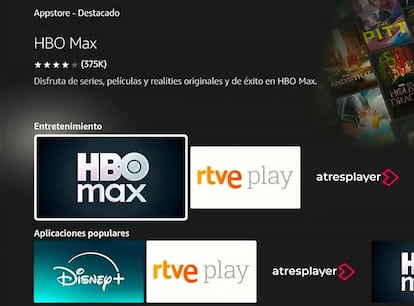
Another consequence of the transition to Vega OS is a reduction in the catalog of applications available in the Amazon Appstore – temporarily, of course. We won’t find thousands of minor or redundant programs, but we will essential are present: Netflix, Prime Video, Disney+, YouTube, Apple TV+, Pluto TV, RTVE Play, DAZN and Spotify among others. For most users, this is not an inconvenience and ultimately provides a cleaner experience.
Simple installation and hassle-free design
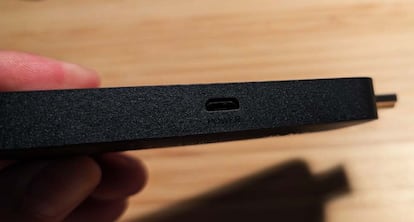
As with previous models, the initial configuration of the Fire TV Stick 4K Select is there a matter of minutes. The box includes an HDMI drive, a Micro-USB power cable, a power adapter, an HDMI extender – very useful if your TV is wall-mounted – and manda Alexa Voice Remote -yes, access to Amazon’s voice assistant is retained- with batteries included. The fact of not switching to USB Type C is one of the least understood things about the new player, but this choice seems to be more in response to cost reduction than any other technical reason (this is not critical, but the truth is that evolution was possible).
The connection is made through Wi-Fi 5although a somewhat more limited version compared to the WiFi 6 Stick 4K Max enough for most homes. Unless you have too many devices competing for bandwidth, you won’t notice a difference when playing content at full resolution.
Familiar interface with small settings
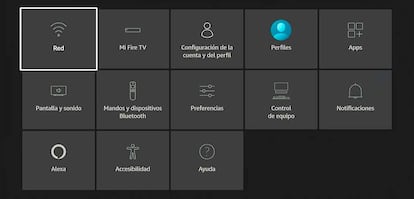
Once you connect it to the Internet and sign in to your Amazon account (you don’t need to be a Prime customer), the Fire TV Stick 4K Select interface shows the classic icon and tab structure that characterizes Fire TV devices. The center section shows shortcuts to your regular apps, as well as a carousel of personalized TV and movie recommendations.
It supports top navigation bar with tabs for Home, Search or Live. There is an important detail: the free section, where all the free content included in services such as IMDb TV or Rakuten TV Free appears. Vega OS also features independent user profilessomething that is highly sought after by families who share a TV, allowing each person to have personalized suggestions, history and watch lists.
The interface may seem more cluttered than that of Apple TV or Chromecast with Google TV, but its advantage is integration close with Prime Video and with ecosystem on Amazonwhere Alexa plays an important role.
Alexa, the voice that organizes your entertainment
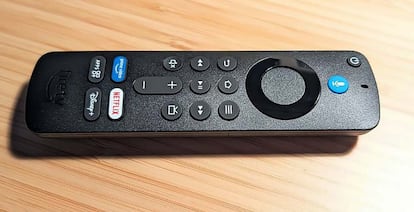
The Alexa Voice Remote continues to be one of the gems of the Fire TV Stick 4K Select. Just by using the special blue button hold to ask assistant search for movies, discover channels or even control smart devices in your home. You can say, open Netflix, find a Pedro Pascal series, or turn the lights in the living room to 50%. Everything happens instantly, without the need to navigate through endless menus.
Alexa not only speeds up your search, but also offers quick answers, weather updates, or voice control of volume and HDMI input. This full integration makes the Fire TV Stick 4K Select more than just a streaming device: it’s a the gateway to Amazon’s connected home.
4K picture with HDR10+ and HLG
Although the Fire TV Stick 4K Select is the budget version, it offers excellent picture quality on 4K-compatible TVs. Supports HDR10, HDR10+ and HLGwhich means more vivid colors, better contrast and very detailed definition. Of course, this doesn’t include compatibility with Dolby Vision or Dolby Atmos, two technologies reserved for higher-end models, although only a few mid-range TVs take full advantage of them.
Playback is smooth and the interface responds without jerks. While the internals aren’t as powerful as the Fire TV Stick 4K Max, Vega OS manages resources more efficientlypreventing programs from closing or taking too long to load is one of the claims of Fire OS models, it must be said.
Environment and game options
Another striking aspect of the Fire TV Stick 4K Select is the appearance of the feature Ambientpreviously reserved for the Max model. With it, the TV can display artwork, photos or useful information – such as the weather forecast or upcoming calendar events – when it’s not in use. It’s a detail that gives the living room an elegant touch, similar to that offered by high-end TVs such as Samsung The Frame.
For those who love video games, this model offers Xbox Cloud Gaming support. With a simple Bluetooth controller and an active subscription, you can play Xbox games without the need for a console, directly from a flash drive. A stable connection is key here, but the level of quality is surprising for its price.
Balanced performance and good value for money
Fire TV Stick 4K Select does not aim to compete with the most powerful models, but to offer a solid and modern experience for who wants to restore their television without much investment. Its 8GB of storage limits app installation somewhat, but since it’s a streaming device, it doesn’t affect daily use. In fact, play 4K content with high qualitysupports smooth navigation and adds features previously reserved for more expensive devices.
For less than 55 euros Fire TV Stick 4K Select provides an excellent balance between cost, performance and ease of use. And as for the million dollar question, if it’s better than the Android-based model, the truth is that it’s more efficient and stable, and the app library will expand over time. Therefore, the future is behind this accessory, so what Better to catch the boat than miss it…