Google has begun enabling early access to its Gemini home voice assistant in the United States, a move that replaces it Google Assistant for a more powerful conversational model capable of supporting continuous dialogues.
This deployment marks the first step towards a a new generation of home assistants based on generative artificial intelligencewhich add advanced features such as camera analysis, creating voice routines, and generating more complex responses. The company has already announced that this technology will be rolled out to more countries in 2026.
Users who sign up for early access will receive the update at no additional cost on their compatible devices. However, features like Gemini Live or advanced camera history searches are subject to a premium subscription.
Google’s proposal aims to have users try out real-world experiences on a daily basis and share feedback as the assistant continues to evolve. The stated purpose turning home AI into something truly usefulto not only answer questions, but also to solve certain actions, such as managing tasks, using multimedia or controlling a smart home.
There are two main ways to interact: the traditional “Hey Google” command to ask for specific help—answers, reminders, play music—and the “Hey Google, let’s talk” conversation mode, which lets you continue conversations without repeating the original command. In this second mode, the user can interrupt, ask for clarification, or demand that the explanation be made simpler or more technical, as if you were talking face-to-face with a person.
Below is an ordered list with examples of everything you can try with the assistant, arranged in different everyday situations, to give you an idea of the scope of this new experience.
- To explain a concept to a child: “Hey Google, explain to my 7-year-old son how electricity works.”
- To explain a complex idea: “Hey Google, can you explain to me why looking at the stars is looking at the past?”
- To stick with today’s science: “Hey Google, give me a summary of the latest advances in quantum computing.”
- Learn interesting words: “Hey Google, what’s the name of the smell of rain?”
- To avoid language confusion: “Hey Google, what’s the difference between ‘effect’ and ‘effect’?” Give me examples.’
- To understand the basics of economics: “Hey Google, what is the trade deficit and why does it matter?”
- To impress with data: “Hey Google, tell me a fun fact about the fastest land mammal that swims.”
- To view a sports story: “Ok Google, who are the top five scorers in basketball?”
- For sports fantasy: “Hey Google, imagine a head-to-head between X and Y in prime time; who will win?”
- For complex calculations without a calculator: “Hey Google, what’s the square root of 6754?”
- Not to miss a game: “Hey Google, when is my team playing and add it to the calendar?”
- To understand the match: “Hey Google, what are the key matches of Monday’s game?”
- For instant results: “Hey Google, how did that happen
in the last race?” - To take advantage of your phone: “Hey Google, how do I use real-time translation on my headphones?”
- To solve a technical problem: “Hey Google, why won’t my laptop turn on?”
- To solve technical questions about the audio device: “Hey Google, how do I use real-time translation on my Pixel Buds?”
- To listen to music without looking for your cell phone: “Hey Google, play
.” - To request a song even if you can’t remember the exact name: “Hey Google, play the song from the movie where they destroy the asteroid.”
- To identify a new voice or artist: “Ok Google, who sings this song?”
- To understand the message of the lyrics: “Hey Google, what’s this song about?”
- To find similar music: “Hey Google, show me similar songs.”
- To remember the times: “Hey Google, play a song from the summer of 1998.”
- To choose songs based on mood: “Hey Google, I want a pop song about overcoming obstacles.”
- To follow a podcast without touching your phone: “Hey Google, play the latest episode
.” - To search for featured interviews: “Hey Google, play the podcast with Sundar Pichai.”
- To deepen a specific interest: “Hey Google, play a podcast about ancient Rome.”
- To learn with educational videos: “Hey Google, play a video that explains how skyscrapers are built.”
- To subscribe to your favorite creators: “Hey Google, play the latest video from
.” - To find the content everyone is commenting on: “Hey Google, what’s the most popular kids’ movie with catchy songs?”
- To control hands-free playback: “Ok Google, turn down the volume.”
- To move sound between rooms: “Ok Google, play music on living room speakers.”
- To automate actions: “Hey Google, turn off all the lights except the living room.”
- For timed routines: “Ok Google, turn off the lights in 10 minutes.”
- For basic security: “Ok Google, close all doors.”
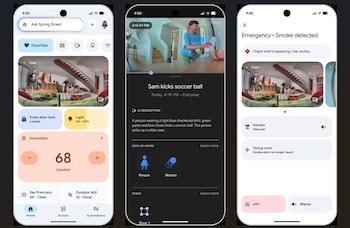
- To monitor visual security: “Hey Google, show me a camera in the yard.”
- To quickly check your energy usage: “Ok Google, how many lights are on?”
- To track purchases and deliveries: “Hey Google, were any packages delivered yesterday?”
- To find out about domestic events: “Ok Google, what happened at home today?”
- To see who has arrived: “Ok Google, what time did Olivia arrive?”
- To ask if your pet has been taken care of: “Hey Google, did anyone walk the dog today?”
- To solve mysteries in the garden: “Hey Google, what animal was in my yard last night?”
- To view the next day: “Hey Google, what’s on my calendar tomorrow?”
- To wake up better: “Hey Google, set an alarm 10 minutes before sunrise.”
- To schedule an exercise: “Ok Google, add a yoga class on Mondays at 6pm.”
- To change an existing appointment: “Hey Google, move my lunch with Julian to 7pm.”
- To add general family appointments: “Hey Google, Jeremy has a dentist appointment on Wednesday at 3pm.”
- To create notes for group projects: “Hey Google, create a note called ‘vacation ideas’ and add ‘beach trip.’
- To organize a family trip: “Ok Google, create a list for a family trip.”
- To remember special nights: “Hey Google, remind us to go out and watch the Geminids.”
- To plan your day: “Hey Google, is it going to rain today?”
- To choose the best time to go out: “Hey Google, what’s the best day to bike this weekend?”
- To check opening hours: “Ok Google, what time does a nearby coffee shop close?”
- To remember key dates: “Hey Google, remind me to order my turkey the week before Thanksgiving.”
- To make a weekly menu: “Hey Google, create a list of Mediterranean dishes for this week.”
- To put together a list of ingredients: “Hey Google, add lemon chicken ingredients to my shopping list.”
- To calculate portions: “Hey Google, how much fish do I need for 4 people?”
- Don’t forget the basics: “Hey Google, add peanut butter and apple cider vinegar to my list.”
- For quick dinner inspiration: “Hey Google, give me ideas for something quick to make today.”
- For health-oriented queries: “Ok Google, suggest a healthy salad dressing.”
- For specific recipes: “Hey Google, give me a recipe for fluffy pancakes.”
- To cook less common dishes: “Hey Google, how do you make tamago onsen?”
- To replace ingredients: “Hey Google, I’m out of vanilla, what can I use?”
- To convert measurements: “Hey Google, how many tablespoons are half a cup?”
- To improve the technique: “Hey Google, how do you make super fluffy scrambled eggs?”
- To monitor cooking: “Ok Google, set a timer for 7 minutes for pasta.”
- To set the time: “Ok Google, add 5 minutes to the chicken timer.”
- To request a time based on the result: “Hey Google, set a timer for the perfect soft-boiled egg.”
- To announce to the whole house: “Hey Google, announce that dinner is ready.”
- To search for weather/food destinations: “Hey Google, give me vacation ideas in November.”
- To choose accommodation according to activities: “Hey Google, where to stay for diving in Thailand?”
- For route planning: “Hey Google, list the best museums in Shanghai.”
- To find local activities: “Ok Google, is there an outdoor climbing gym nearby?”
- To host a cheap get-together: “Hey Google, give me some creative ideas for a casual party.”
- To suggest a full barbecue menu: “Hey Google, suggest a menu with a main course, 3 side dishes and a dessert.”
- For decorative details: “Hey Google, give me ideas for simple centerpieces.”
- To improve a creative hobby: “Hey Google, can you help me draw better?”
- To read more: “Hey Google, give me crime novels set in historical times.”
- To learn useful phrases: “Hey Google, how do you say ‘I want to book a room for four at 7pm’ in Chinese?”
- To be more efficient: “Ok Google, tips on how to study better.”
- If you’re in doubt about the rules of the game, “Hey Google, what does ‘rock the king’ mean?”
- For sports results: “Hey Google, what to eat before a 5K?”
- To choose gifts: “Hey Google, give me gift ideas for a friend who loves vinyl and jewelry.”
- To call someone without taking out your phone: “Ok Google, call Jeremy.”
- To relax: “Ok Google, play ocean sounds.”
- To start mindfulness: “Ok Google, how do I get started with mindfulness?”
- For themed jokes: “Hey Google, tell me a penguin joke.”
- For quick riddles: “Hey Google, give me a riddle.”
- For classic stories: “Hey Google, tell me a story.”
- For co-created stories: “Hey Google, tell me a story about a boy and a dragon.”
- For randomness in games: “Ok Google, flip a coin.”
- To explain XR concepts: “Hey Google, what’s the difference between AR, VR, and Mixed Reality?”
- To understand the economy: “Hey Google, how does the jobs report relate to interest rates?”
- For school support: “Ok Google, explain my son’s algebra homework.”
- To create a menu based on available ingredients: “Hey Google, I have spinach, eggs, and feta cheese, what should I do?”
- To compare financial decisions: “Hey Google, let’s talk: I want to buy a car, but I don’t know where to start.”
- To write how to talk to someone: “Hey Google, how do you talk to a noisy neighbor?”
- To create two-voice stories: “Hey Google, let’s make up a bedtime story about a flying robot.”
- For family vacation ideas on a budget: “Hey Google, cheap family vacation ideas.”
- To explain the complex to a child: “Hey Google, how do you explain to a 7-year-old how Wi-Fi works?”
- For rain + creativity with kids: “Hey Google, ideas for pirate activities on a rainy day.”