

During the hottest days of the year, millions of users find that their mobile phone becomes a vulnerable device. Heat and high summer temperatures can can cause everything from disruptions in daily operation to permanent damage to the battery and other critical components.
This reality forces us to be very careful and understand how heat affects the performance and lifespan of smartphones.
Intensive use of the phone in the sun or in closed rooms with poor ventilation, such as the interior of a car, significantly increases the internal temperature of the device. In a matter of minutes, Equipment may exceed safe thermal thresholds set by manufacturers.
Apple, Samsung and Google agree The ideal operating temperature for a smartphone is from 0 to 35 °C. If this range is exceededthe system takes protective measures: reduce performance, limit the maximum brightness of the screen, slow down charging or, in extreme cases, automatically disable certain functions to prevent further damage.

An overheated phone is not only slower to respond. It may reboot unexpectedly, crash, or shut down automatically.
It also affects the quality of mobile communication, as some brands have decided to reduce the power of the antennas to minimize power consumption and heat generation. All of this changes the user experience and puts internal components at risk.
A lithium battery is the most heat sensitive component. With repeated exposure to elevated temperatures, it undergoes a process premature aging. According to experts, each episode of overheating accelerates battery degradation and irreversibly reduces its ability to store a charge.
The problem is exacerbated by fast charging. Although manufacturers have designed chargers that minimize heat transfer to the phone when the hardware is already hot, charging itself can be slowed down or even disabled to avoid risk. It is common to notice that in the middle of summer, the phone takes longer to charge or that the fast charging function does not activate.
The consequences of a damaged battery are not immediately noticeable, but in the medium term they are manifested in reduced autonomy and the need for expensive replacements.
Modern phones include temperature management systems that kick in when the internal temperature rises above the recommended temperature. One of the most common measures is thermal throttling (throttling): The device reduces the speed of its processor to avoid further overheating.
This method, also common in computers, especially affects mid-range models, You may experience lag or stuttering while performing complex tasks.
Even everyday activities like browsing social media or using the GPS at maximum brightness can raise the temperature on very hot days, forcing the phone to perform below its normal capabilities.
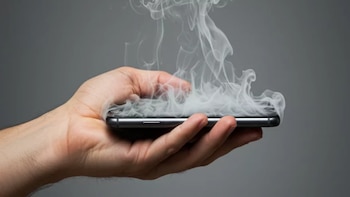
Experts offer some simple strategies to minimize heat exposure:
- Avoid direct sun exposure: Keeping your phone in the shade or in your bag helps reduce heat absorption.
- Do not leave the phone in closed and hot places: The temperature inside a parked car can quickly exceed 50°C, increasing the risk of damage.
- Remove the cover if the device is hot: Silicone or plastic covers make heat dissipation difficult. Their temporary removal promotes cooling.
- Stop charging when the phone is hot: cargo adds heat. If the equipment feels hot to the touch, it is best to unplug it and let it rest.
- Reduce heavy usage and adjust settings: Limiting screen brightness, closing background apps, and enabling power-saving modes reduce CPU load and heat.