
Nano Banana, Google’s artificial intelligence model, officially known as Gemini 2.5 Flash Image, has caught the attention of the internet for its amazing photo editing capabilities. The interesting thing about this tool is that it is not only free, but also available to any user Android o iPhone to retouch and enhance images from your mobile, without barriers or using tricks to get around usage restrictions.
Unlike other image generators that create new scenes from scratch, Nana banana focuses on precise editing of existing photos. Its strength lies in the surgical correction of details: it does not change faces or structures, but changes exactly what is required, such as the color of clothing or the time of day in a scene, ensuring that each requested change preserves the naturalness of the original image.
To start using Nano Banana, you only need to install the Google Gemini app on your mobile device. Once accessed, simply go to the settings panel to activate “Nano Banana”, indicated by the banana icon.
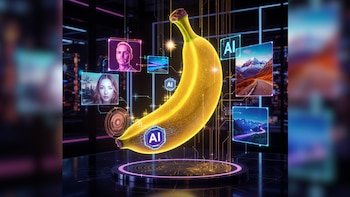
After that, the image to be edited is simply loaded and special instructions are given to the system, which can understand and apply everything from routine changes such as color correction to integrating objects, modifying facial expressions or changing the lighting of the scene.
However, the process is quick, intuitive, and completely free for regular users There is an approximate limit of 30 images edited with the program from Gemini for those without a Google One subscription.
For those who want to remove any restrictions and edit images without restrictions, the key is to access Nano Banana Google AI Studio on the web. Using your Google account, simply select the “Gemini 2.5 Flash Image” model and take advantage of the system to make as many edits as you need.
It should be noted that each session has a technical limit, but you can start new conversations indefinitely and for free. This maximizes creative potential without worrying about extra charges or usage locks.
The accuracy with which the Nano Banana responds depends on the clarity and detail of the instructions. To get the most out of it, it’s recommended that you:
- Be specific with your requests; Clear and detailed instructions produce the best results.
- Use visual descriptions and adjectives that help define the desired result, such as “dark blue” or “soft lighting.”
- Break modifications into separate stages, requesting each change separately for better AI understanding.
- Include photography terms like “bokeh,” “wide angle,” or “backlight” in your instructions for added effects.
- Again, specify the details you don’t want to see in the final image, thus identifying the type of editing to avoid.
Nano Banana integrates artificial intelligence edit and transform photos from mobile devices for free. Its work allows users to access and apply editing tools anywhere, making it easy to enhance and personalize images directly from their phones.

Nano Banana can be used on PC through a web version accessible from any compatible browser. To get started, the user needs to go to the official website of Nano Banana and register or login with a valid account. Once inside the platform, you can download photos from the hard disk using the selection options or by dragging files directly to the main interface.
When you select an image, the tool makes available various AI-based features such as cropping, auto-enhancement, background removal or applying effects. Each adjustment is made in real time and can be previewed before saving the final result.
Satisfied with the edit, the user can download the modified image to their computer or share it online. This mode allows you to take advantage of Nano Banana’s capabilities without the need to install additional software.